





Introduction
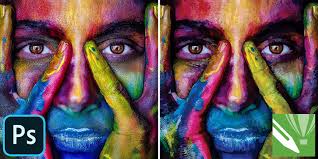
For graphic designers, choosing the right software can make a huge difference in how smoothly ideas turn into real designs. Two names that have been around for years—and are still widely debated—are Adobe Photoshop and CorelDRAW.
Both tools are powerful, both are trusted by professionals, and both serve different creative needs. But they are not the same. In this comparison, we’ll look at Photoshop vs CorelDRAW in a practical, easy-to-understand way so you can decide which one fits your design style and workflow best.
What Is Adobe Photoshop Best Known For?
Adobe Photoshop is mainly a raster-based design tool, which means it works with pixels. It’s the go-to software for photo editing, digital art, social media graphics, UI designs, and anything that requires detailed image manipulation.
Designers love Photoshop for its precision. Whether you’re retouching photos, creating posters, designing thumbnails, or working with layers and effects, Photoshop gives you deep control over every small detail.
Best for:
- Photo editing and retouching
- Digital art and illustrations
- Social media and web graphics
- UI/UX mockups
What Makes CorelDRAW Different?
CorelDRAW is a vector-based design tool, which means designs are created using shapes and paths instead of pixels. This makes it perfect for designs that need to be resized without losing quality.
It’s widely used in print design, logo creation, banners, visiting cards, brochures, and signage work. Many designers find CorelDRAW easier to pick up, especially for layout-based and print-focused projects.
Best for:
- Logo design
- Print materials
- Branding and layouts
- Large-scale designs like hoardings and flex prints
Ease of Use and Learning Curve
Photoshop has a steeper learning curve. It offers immense power, but beginners may feel overwhelmed at first because of the number of tools and settings.
CorelDRAW feels more straightforward and beginner-friendly, especially for designers working in print. Many users find it easier to understand shapes, text handling, and layouts in CorelDRAW compared to Photoshop.
Design Flexibility and Creative Control
Photoshop gives unmatched freedom when it comes to image manipulation, effects, blending, and creative edits. If your work involves heavy visuals, textures, or photo-based designs, Photoshop feels unbeatable.
CorelDRAW shines in clean, structured designs. It handles typography, alignment, and vector elements very smoothly, making it ideal for professional print and branding work.
Performance and System Requirements
Photoshop can be resource-heavy, especially when working with large files, smart objects, or multiple layers. A good system helps a lot.
CorelDRAW generally runs lighter and faster, especially for vector-based projects, even on mid-range systems.
Pricing and Accessibility
Photoshop is available only through Adobe’s subscription model, which means a monthly or yearly payment.
CorelDRAW usually offers one-time purchase options (along with subscription plans), which many designers prefer in the long run.
Which One Should You Choose?
Choose Adobe Photoshop if your work revolves around images, digital content, web graphics, and creative effects.
Choose CorelDRAW if you focus more on logos, print design, branding, and scalable vector artwork.
Many professional designers actually use both tools together, depending on the project.
Conclusion
Photoshop and CorelDRAW are not competitors in the traditional sense—they solve different design problems. Photoshop is a creative powerhouse for digital and image-based work, while CorelDRAW is a reliable tool for vector and print-focused designs.
The best choice isn’t about which software is “better,” but which one fits your design needs, workflow, and future goals.




Add Comment