






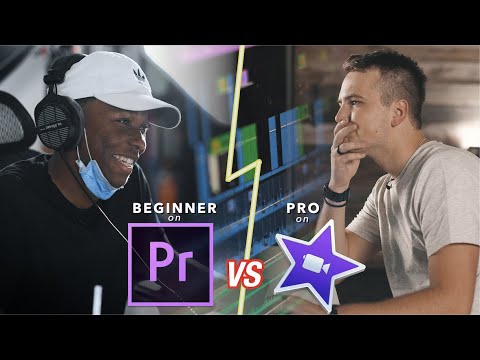
In the world of video editing, Adobe Premiere Pro and iMovie are two names that often come up in comparison. Both software programs offer unique features and capabilities, but they cater to different types of users. In this article, we’ll break down their strengths, weaknesses, and key differences to see which software reigns supreme.
Key Differences Between Adobe Premiere Pro and iMovie
Adobe Premiere Pro is a professional-grade video editing software packed with advanced tools for editing, color correction, audio mixing, and visual effects. It’s designed for filmmakers, video editors, and content creators who need flexibility and precision in their projects.
iMovie, in contrast, is aimed at beginners and casual users. It offers a simple, user-friendly interface with drag-and-drop functionality, basic editing tools, and easy-to-use features for adding titles, music, and effects. The main differences lie in complexity, feature set, and target audience.
Choosing the Best Software for Professional Editing
For professionals, Adobe Premiere Pro is the clear choice. Its advanced tools, motion graphics templates, and Lumetri color grading make it ideal for creating high-quality, polished videos. iMovie, while accessible, lacks the depth required for professional-level projects.
Pros of Adobe Premiere Pro:
- Extensive editing and visual effects tools
- Advanced audio editing and mixing
- Support for 4K and HDR content
- Professional export options and color grading
Cons:
- Steep learning curve
- Higher cost (subscription-based)
Pros of iMovie:
- Free for Mac users
- Beginner-friendly interface
- Quick editing for casual projects
Cons:
- Limited advanced features
- Less suitable for professional editing
Video Effects, Filters, and Audio Editing
- Premiere Pro: Offers advanced video effects, filters, motion graphics, and professional-grade audio tools. Perfect for cinematic or high-quality content creation.
- iMovie: Provides basic effects, filters, and audio adjustments. Ideal for personal projects, travel vlogs, or social media videos.
Learning Curve and System Requirements
- Premiere Pro: Requires more powerful hardware and time to master. Best suited for users with experience in video editing.
- iMovie: Lightweight and easy to learn. Runs smoothly on less powerful Macs, making it perfect for casual users.
Handling Large Files & 4K Editing
- Premiere Pro: Can efficiently handle large, high-resolution files, 4K footage, and HDR content without lag.
- iMovie: May struggle with large or high-resolution projects, making it less suitable for professional work.
Video Stabilization & Export Options
- Premiere Pro: Advanced stabilization, multiple export formats, and presets for YouTube, Vimeo, and other platforms.
- iMovie: Basic stabilization and limited export options, but enough for casual video sharing.
Real-World Use Cases
- Premiere Pro: Used by professional filmmakers, YouTubers, and content creators for movies, commercials, and high-quality videos.
- iMovie: Ideal for home videos, travel vlogs, and beginner-friendly projects.
Conclusion
The battle between Adobe Premiere Pro and iMovie ultimately depends on the user:
- Choose Adobe Premiere Pro if you’re a professional or serious content creator who needs advanced tools and high-quality results.
- Choose iMovie if you’re a beginner, casual user, or Mac owner looking for an easy way to create simple, polished videos.
Both software programs have their place in the world of video editing—your choice comes down to experience level, budget, and project complexity.



Add Comment